
- 4 reviews
- 4.5
- Monthly users
- 12.0M
- Pricing
- $0 – $12.99 / month
- Platform
- Web App / Desktop App
- Best for
- Graphic Designers / Content Creators
Overview
Pixlr is an advanced, AI-powered online photo editing platform with text-to-image generation, generative fill and expand, background and object removal, face swap, animation, creative filters, templates, sticker generation, batch processing, upscaling, sharpening, noise reduction, layers, overlays, text tools, Auto-Fix, healing/clone tools, and a marketpl...
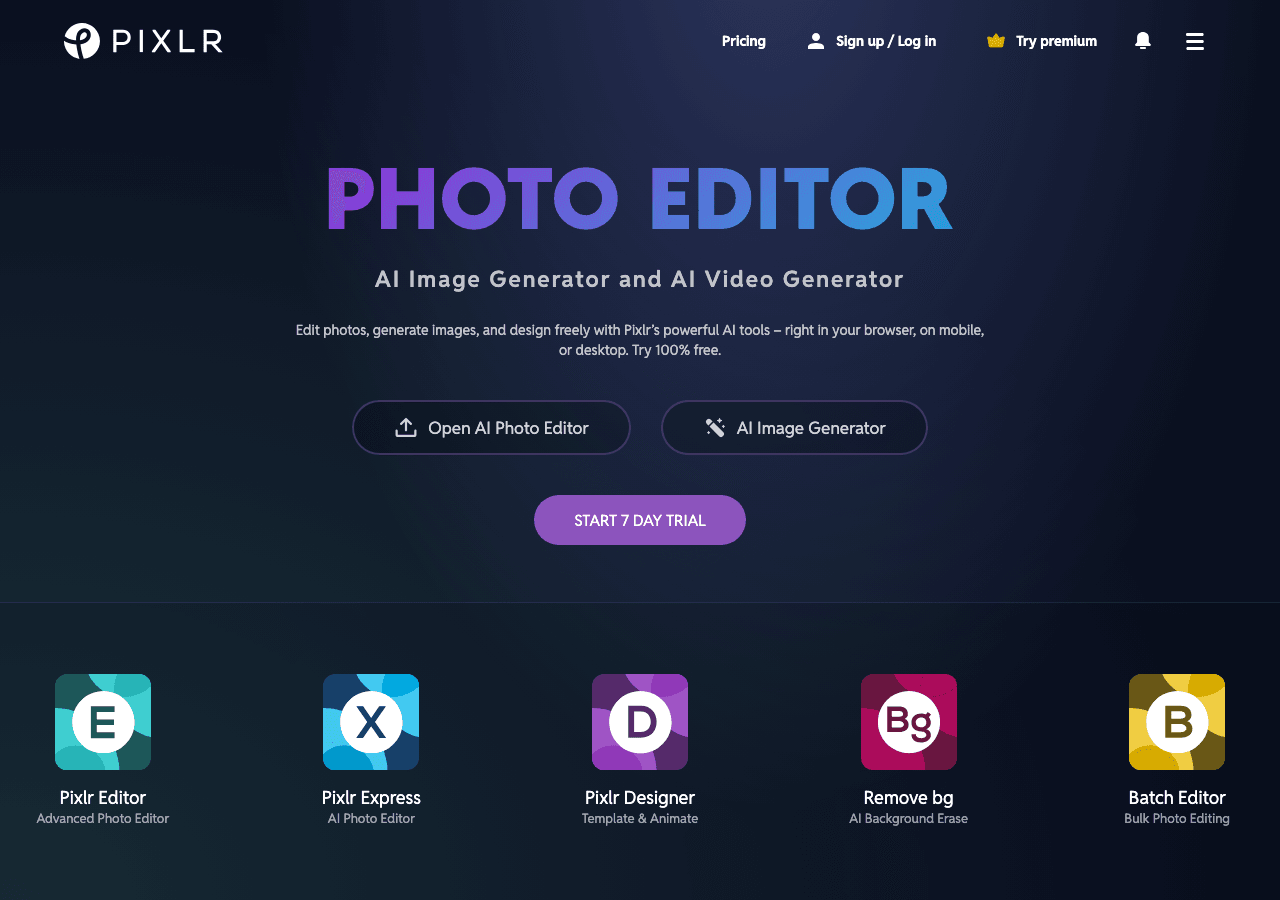
Unleash Your Creativity With AI-Powered Design
Facts & Trust
Pricing and key facts stay visible first; expand compliance, specs, and provider details when you need deeper due diligence.
Figures above in this panel are rounded for quick orientation. Sign in for exact visits, rank breakdown, and engagement metrics.
Key Features
Studio-quality visuals
Pixlr produces images that meet professional design standards without manual editing. Latest release shipped on Septembe
Real-time design collaboration
Shared component libraries ensure brand consistency across projects and team members. Pixlr offers a full device lineup:
Cross-platform accessibility
Multi-platform support ensures everyone can use Pixlr regardless of their device preference.
Tooling for engineering teams
Developers get client libraries that smooth integration work.
Hands-on demos
Demo and trial environments let teams experience Pixlr before committing.
Customer experience toolkit
Self-service resources plus agent assist features shorten resolution times. Pixlr is relevant for support workflows when
Expert Insight
Albert Schaper(Artificial Intelligence, AI Tools)
Albert Schaper has analyzed Pixlr for Design, giving it a 4.0/5 rating based on 2 user reviews. Given Albert Schaper's expertise in artificial intelligence, this tool is particularly recommended for graphic designers who prioritize artificial intelligence capabilities.
Pricing & Plans
Pricing: $0 – $12.99 / month(Updated September 2026)
Free tier (ad-supported), Plus $2.49/month (limited time offer), Premium $7.99/month, Team $12.99/month (5 users), AI Credits from $2.99 per 200 credits, Enterprise by contact, PixlrEdu free for institutions
Usage Model: Per-Image, Pay-as-You-Go — ensuring you only pay for what you actually use.
The free tier from Pixlr gives graphic designers a risk-free way to explore design capabilities. Free plans include essential features that enable basic workflows and experimentation. Upgrading unlocks premium tools, better performance, and professional features designed for graphic designers with complex design needs.
Video Showcase
Pixlr 2023 - Create AI Infill Thumbnail by Pixlr
Rate this Tool
User Reviews
Based on user reviews
Rating Distribution
All Reviews
No reviews yet. Be the first to share your experience!
About Pixlr
“Unleash Your Creativity With AI-Powered Design”
Pixlr Snapshot
Key facts we track so you can judge fit before visiting the provider.
- Primary category
- Design
- Best fit
- Graphic Designers, Content Creators, Marketing Professionals +1 more
- Platforms
- Web App, Desktop App, Mobile App
- Pricing signal
- Subscription - $0-$12.99 / month
- Provider context
- 123RF Limited - MY
- Known integrations
- Plugin/Integration
- Developer access
- JavaScript/TypeScript
- Data handling
- Global hosting, Privacy policy linked
Before you choose Pixlr
- Confirm Pixlr's current limits, renewal terms, and seat pricing on the official site.
- Review privacy, retention, and data-processing terms before using sensitive data.
- Test the integrations or API path against one real workflow before rollout.
- Make sure the supported platform matches where your team actually works.
Listing data is compiled from structured provider information, public signals, submissions, and periodic checks where available. Treat this page as a shortlist aid, then verify pricing, compliance, and product limits with the provider before making a business-critical decision.
How Pixlr Works
Understanding the core functionality and approach of Pixlr.
Visual design in Pixlr combines AI assistance with traditional design tools. Create layouts, illustrations, and UI components faster than manual workflows allow. Pixlr plugs into Plugin/Integration so data stays in sync.
Key Features
Explore what makes Pixlr stand out.
Studio-quality visuals
Pixlr produces images that meet professional design standards without manual editing. Latest release shipped on September 15, 2026, showing a fast-moving roadmap.
Real-time design collaboration
Shared component libraries ensure brand consistency across projects and team members. Pixlr offers a full device lineup: browser, desktop app, and mobile, all kept in sync.
Cross-platform accessibility
Multi-platform support ensures everyone can use Pixlr regardless of their device preference.
Tooling for engineering teams
Developers get client libraries that smooth integration work.
Hands-on demos
Demo and trial environments let teams experience Pixlr before committing.
Customer experience toolkit
Self-service resources plus agent assist features shorten resolution times. Pixlr is relevant for support workflows when it connects cleanly to tickets, knowledge bases, or customer context.
Use Cases
Discover how different audiences leverage Pixlr.
Produce design assets
Generate multiple variations quickly to test what resonates with your audience.
Work from anywhere
Remote workers use Pixlr across devices to stay productive regardless of location.
Scale content production
Graphic Designers rely on Pixlr to keep content volume high—templates, collaboration, and AI help hit deadlines without extra headcount.
FAQ about Pixlr
What is Pixlr and what does it do?
How much does Pixlr cost?
Is Pixlr secure and compliant with data privacy regulations?
What platforms does Pixlr support?
How can I try Pixlr before purchasing?
What file formats does Pixlr support?
Who develops and maintains Pixlr?
How do I get access to Pixlr?
How is usage measured and billed in Pixlr?
What deployment options does Pixlr offer?
Compare Similar Tools
See how Pixlr stacks up against similar alternatives in the market.

Adobe Photoshop
Create, edit, and design with industry-leading AI-powered image innovation.

remove.bg
Remove backgrounds instantly, then design everything else in one click

Keep Pixlr's listing accurate
Providers can update product facts, pricing context, screenshots, and launch notes. Paid placements are labeled separately and do not replace editorial or data-quality review.
How to Evaluate Pixlr
Compare Pixlr with Photopea, Canva, Fotor and other alternatives before you decide. The goal is not to pick the most popular product; it is to find the tool that fits your actual workflow, risk level, and budget.
- Step 1Run the demo with one real graphic designers task, not a sample prompt.
- Step 2Model the full monthly cost at your expected usage, including seats, limits, and overages.
- Step 3Verify the integration path with your existing stack before you commit.
- Step 4Review privacy, retention, and compliance terms before using sensitive data.
Use the video walkthrough to check whether the interface matches the claims. For developer teams, inspect the JavaScript/TypeScript SDK. For broader context, browse more design tools for graphic designers, or compare this page against the category hub. New to AI tool evaluation? Start with AI Tool Navigator.
Share Pixlr
Help others discover Pixlr by sharing it on your favorite platforms.
Report an Issue
Found incorrect information or have concerns about Pixlr? Let us know.
Need a tool shortlist for a real business use case?
Get a structured 3-5 tool recommendation, pricing comparison, and implementation roadmap for your team.
Need Help Finding the Right Tool?
Looking for alternatives to Pixlr or similar tools? Use our AI chatbot to find the right solution for your needs.