
- 1 reviews
- 4.0
- Monthly users
- 334K
- Pricing
- $20 – $90 / month
- Platform
- Desktop App / Plugin/Integration
- Best for
- Graphic Designers / Content Creators
Overview
Retouch4me is an AI-powered suite of desktop plugins and a cloud service for automatic, high-end photo retouching. It specializes in portrait enhancement—such as skin smoothing, blemish removal, eye enhancement, color correction, and fabric retouching—while preserving natural texture. The tool works as a Photoshop plugin or a standalone app, offering batc...
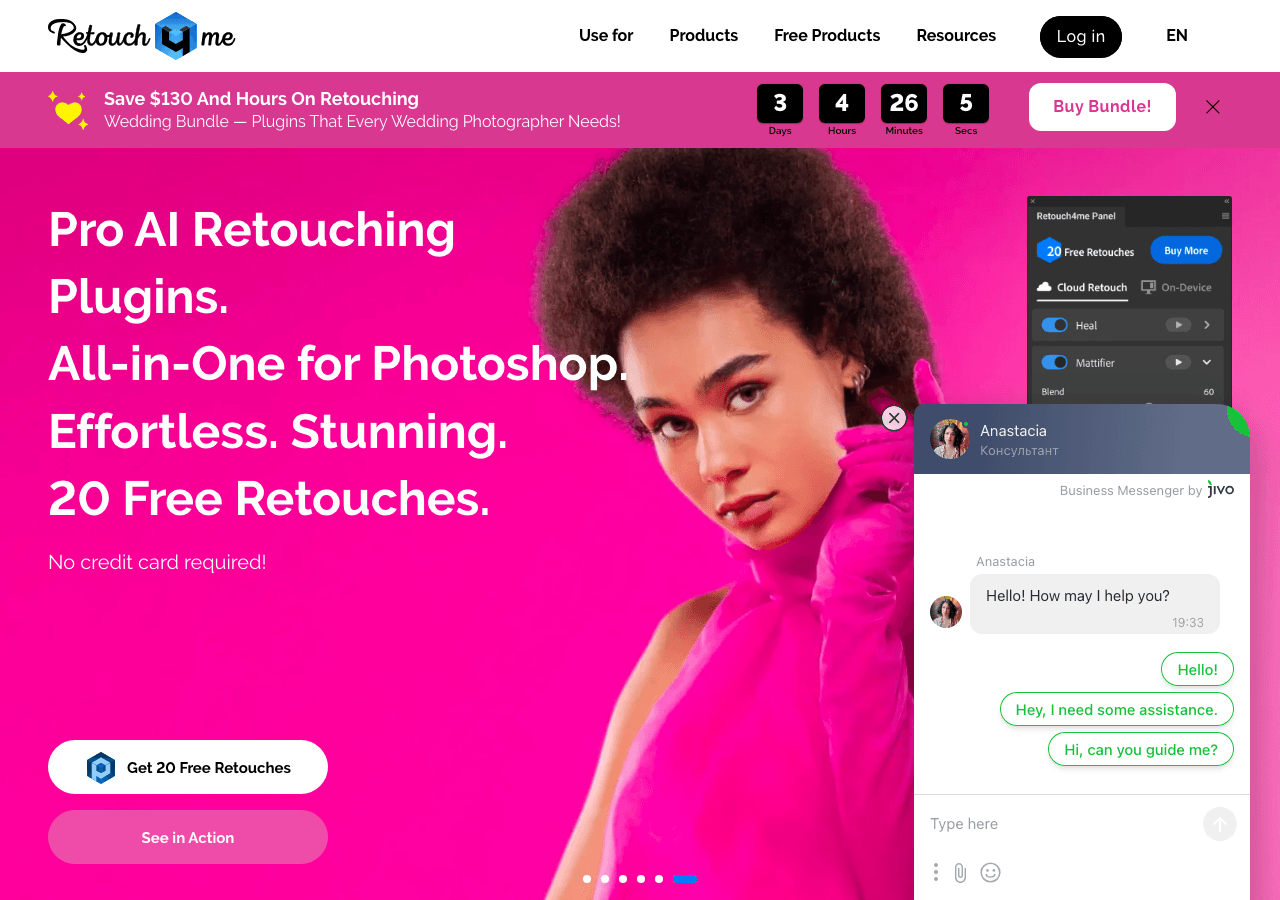
AI-Powered Portrait Retouching in One Click
Facts & Trust
Pricing and key facts stay visible first; expand compliance, specs, and provider details when you need deeper due diligence.
Figures above in this panel are rounded for quick orientation. Sign in for exact visits, rank breakdown, and engagement metrics.
Key Features
Team-based design workflows
Version history and branching let teams experiment without risking production assets. Retouch4me plugs into Plugin/Integ
Device-agnostic access
Web, desktop, and beyond: Retouch4me supports 3 platforms to streamline rollouts.
Expert Insight
Albert Schaper(Artificial Intelligence, AI Tools)
Retouch4me receives positive evaluation from Albert Schaper for Design applications. Albert Schaper's knowledge of artificial intelligence highlights the tool's value for graphic designers needing artificial intelligence solutions.
Pricing & Plans
Pricing: $20 – $90 / month(Updated September 2026)
Free trial with 20 retouches, subscriptions at $20/month (Start), $35/month (Pro), $90/month (Business), plus pay-per-use packs and one-time plugin purchases from $124.
Usage Model: Per-Image — ensuring you only pay for what you actually use.
Retouch4me offers subscription-based access starting at $20 – $90 / month, designed for graphic designers who need reliable design solutions. Monthly subscriptions provide consistent costs and automatic access to new features. For graphic designers integrating design tools into their operations, subscriptions offer the best long-term value.
Rate this Tool
About Retouch4me
“AI-Powered Portrait Retouching in One Click”
Retouch4me Snapshot
Key facts we track so you can judge fit before visiting the provider.
- Primary category
- Design
- Best fit
- Graphic Designers, Content Creators
- Platforms
- Desktop App, Plugin/Integration, Web App
- Pricing signal
- Subscription, One-time Purchase - $20-$90 / month
- Provider context
- Retouch4me - EE
- Known integrations
- Plugin/Integration
- Data handling
- Global hosting, Privacy policy linked
- Evidence signals
- 334K monthly visits, 4.0 rating from 1 reviews, 7 community favorites +1 more
Before you choose Retouch4me
- Confirm Retouch4me's current limits, renewal terms, and seat pricing on the official site.
- Review privacy, retention, and data-processing terms before using sensitive data.
- Test the integrations or API path against one real workflow before rollout.
- Make sure the supported platform matches where your team actually works.
Listing data is compiled from structured provider information, public signals, submissions, and periodic checks where available. Treat this page as a shortlist aid, then verify pricing, compliance, and product limits with the provider before making a business-critical decision.
How Retouch4me Works
Understanding the core functionality and approach of Retouch4me.
Retouch4me bridges the gap between ideation and final design with AI-powered suggestions. Teams maintain brand consistency while accelerating the design-to-delivery pipeline. Retouch4me works as a plugin inside your existing tools and as a standalone app on Desktop App, Plugin/Integration, and Web App.
Key Features
Explore what makes Retouch4me stand out.
Team-based design workflows
Version history and branching let teams experiment without risking production assets. Retouch4me plugs into Plugin/Integration so data stays in sync.
Device-agnostic access
Web, desktop, and beyond: Retouch4me supports 3 platforms to streamline rollouts.
Use Cases
Discover how different audiences leverage Retouch4me.
Boost remote productivity
Cross-platform sync ensures work started on one device continues seamlessly on another.
Move creative workflows forward
Retouch4me helps Graphic Designers finalize drafts and publish campaigns without waiting for more resources.
FAQ about Retouch4me
What is Retouch4me and what does it do?
How much does Retouch4me cost?
Is Retouch4me secure and compliant with data privacy regulations?
What platforms does Retouch4me support?
What file formats does Retouch4me support?
Who develops and maintains Retouch4me?
How do I get access to Retouch4me?
How is usage measured and billed in Retouch4me?
What deployment options does Retouch4me offer?
Who is Retouch4me best suited for?
Related AI News & Insights
Stay updated with the latest news and insights about Retouch4me and the AI industry.
Sakana AI Appoints Deep Learning Pioneer Jürgen Schmidhuber as Chief Scientific Advisor
Compare Similar Tools
See how Retouch4me stacks up against similar alternatives in the market.

remove.bg
Remove backgrounds instantly, then design everything else in one click


Keep Retouch4me's listing accurate
Providers can update product facts, pricing context, screenshots, and launch notes. Paid placements are labeled separately and do not replace editorial or data-quality review.
How to Evaluate Retouch4me
Use this page to evaluate Retouch4me alongside similar design tools in our alternatives overview. The goal is not to pick the most popular product; it is to find the tool that fits your actual workflow, risk level, and budget.
- Step 1Test Retouch4me with one real workflow before moving important work into it.
- Step 2Model the full monthly cost at your expected usage, including seats, limits, and overages.
- Step 3Verify the integration path with your existing stack before you commit.
- Step 4Review privacy, retention, and compliance terms before using sensitive data.
For broader context, browse more design tools for graphic designers, or compare this page against the category hub. New to AI tool evaluation? Start with AI Tool Navigator.
Share Retouch4me
Help others discover Retouch4me by sharing it on your favorite platforms.
Report an Issue
Found incorrect information or have concerns about Retouch4me? Let us know.
Need a tool shortlist for a real business use case?
Get a structured 3-5 tool recommendation, pricing comparison, and implementation roadmap for your team.
Need Help Finding the Right Tool?
Looking for alternatives to Retouch4me or similar tools? Use our AI chatbot to find the right solution for your needs.