
"Professional AI background removal and image enhancement—fast, precise, and effortless"
- 1 reviews
- 4.0
- Favorites
- 5
- Pricing
- One-time Purchase
- Platform
- Desktop App
- Best for
- Graphic Designers / Content Creators
Overview
Aiarty Image Matting is an advanced AI-powered tool for photographers and creatives that offers fast, high-precision object separation, background removal, and replacement for up to 3,000 images in a batch. It provides four specialized AI models, fine edge refinement controls (including alpha curve and transparency adjustment), AI-driven upscaling and enh...
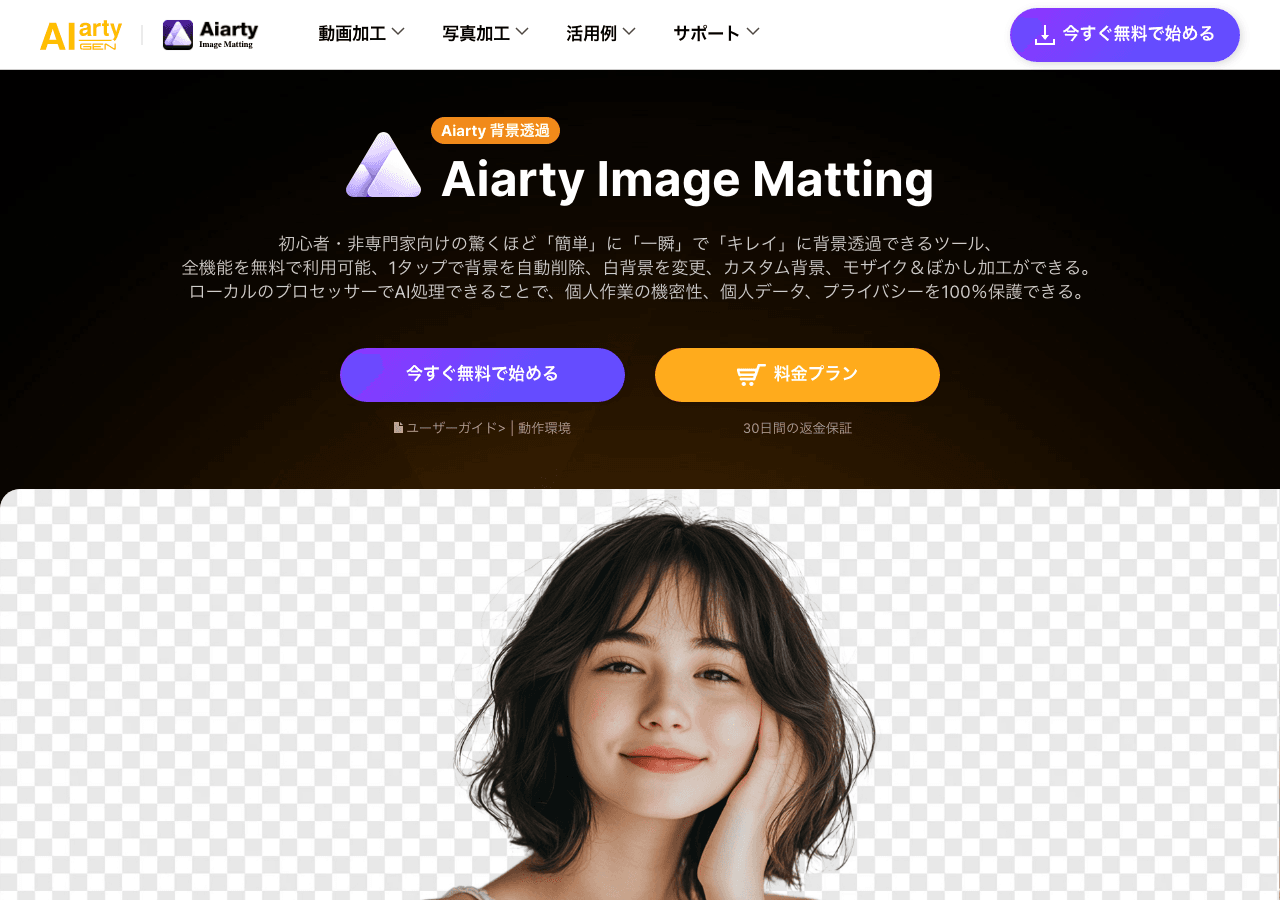
Professional AI background removal and image enhancement—fast, precise, and effortless
Facts & Trust
Pricing and key facts stay visible first; expand compliance, specs, and provider details when you need deeper due diligence.
Figures above in this panel are rounded for quick orientation. Sign in for exact visits, rank breakdown, and engagement metrics.
Key Features
Team-based design workflows
Shared component libraries ensure brand consistency across projects and team members. Currently optimized for Desktop Ap
Expert Insight
Albert Schaper(Artificial Intelligence, AI Tools)
Albert Schaper endorses Aiarty Image Matting for Design use cases. Albert Schaper's background in artificial intelligence makes this assessment particularly valuable for graphic designers seeking Design solutions.
Rate this Tool
About Aiarty Image Matting
“Professional AI background removal and image enhancement—fast, precise, and effortless”
Aiarty Image Matting Snapshot
Key facts we track so you can judge fit before visiting the provider.
- Primary category
- Design
- Best fit
- Graphic Designers, Content Creators, Marketing Professionals +2 more
- Platforms
- Desktop App
- Pricing signal
- One-time Purchase
- Provider context
- Aiarty - JP
- Data handling
- Global hosting, Privacy policy linked
- Evidence signals
- 85K monthly visits, 4.0 rating from 1 reviews, 5 community favorites +1 more
Before you choose Aiarty Image Matting
- Confirm Aiarty Image Matting's current limits, renewal terms, and seat pricing on the official site.
- Review privacy, retention, and data-processing terms before using sensitive data.
- Run a small pilot with your real workflow before adopting it as a core tool.
- Make sure the supported platform matches where your team actually works.
What to verify
- Integration depth is unclear; test import/export, API access, or workflow handoff before relying on it.
Listing data is compiled from structured provider information, public signals, submissions, and periodic checks where available. Treat this page as a shortlist aid, then verify pricing, compliance, and product limits with the provider before making a business-critical decision.
How Aiarty Image Matting Works
Understanding the core functionality and approach of Aiarty Image Matting.
Visual design in Aiarty Image Matting combines AI assistance with traditional design tools. Create layouts, illustrations, and UI components faster than manual workflows allow. Export assets in multiple formats for web, print, and social media channels.
Key Features
Explore what makes Aiarty Image Matting stand out.
Team-based design workflows
Shared component libraries ensure brand consistency across projects and team members. Currently optimized for Desktop App.
Use Cases
Discover how different audiences leverage Aiarty Image Matting.
Scale content production
Automate repetitive creative tasks so teams focus on high-impact work.
Coordinate go-to-market
Launch reviews and retrospectives stay organized in one place.
FAQ about Aiarty Image Matting
What is Aiarty Image Matting and what does it do?
How much does Aiarty Image Matting cost?
Is Aiarty Image Matting secure and compliant with data privacy regulations?
What platforms does Aiarty Image Matting support?
What file formats does Aiarty Image Matting support?
Who develops and maintains Aiarty Image Matting?
How do I get access to Aiarty Image Matting?
How is usage measured and billed in Aiarty Image Matting?
What deployment options does Aiarty Image Matting offer?
Who is Aiarty Image Matting best suited for?
Related AI News & Insights
Stay updated with the latest news and insights about Aiarty Image Matting and the AI industry.
H Company Releases Holo4: Open-Weight Agentic Models for Generalist Computer Use
Sakana AI Appoints Deep Learning Pioneer Jürgen Schmidhuber as Chief Scientific Advisor
Compare Similar Tools
See how Aiarty Image Matting stacks up against similar alternatives in the market.


remove.bg
Remove backgrounds instantly, then design everything else in one click

Keep Aiarty Image Matting's listing accurate
Providers can update product facts, pricing context, screenshots, and launch notes. Paid placements are labeled separately and do not replace editorial or data-quality review.
How to Evaluate Aiarty Image Matting
Use this page to evaluate Aiarty Image Matting alongside similar design tools in our alternatives overview. The goal is not to pick the most popular product; it is to find the tool that fits your actual workflow, risk level, and budget.
- Step 1Test Aiarty Image Matting with one real workflow before moving important work into it.
- Step 2Model the full monthly cost at your expected usage, including seats, limits, and overages.
- Step 3Confirm export, import, and handoff options so your work is not trapped in one tool.
- Step 4Review privacy, retention, and compliance terms before using sensitive data.
For broader context, browse more design tools for graphic designers, or compare this page against the category hub. New to AI tool evaluation? Start with AI Tool Navigator.
Share Aiarty Image Matting
Help others discover Aiarty Image Matting by sharing it on your favorite platforms.
Report an Issue
Found incorrect information or have concerns about Aiarty Image Matting? Let us know.
Need a tool shortlist for a real business use case?
Get a structured 3-5 tool recommendation, pricing comparison, and implementation roadmap for your team.
Need Help Finding the Right Tool?
Looking for alternatives to Aiarty Image Matting or similar tools? Use our AI chatbot to find the right solution for your needs.