Recruit CRM logo - Conversational AI brand identity

Recruit CRM (2026)

Expert Reviewed
by Albert SchaperLast reviewed: Nov 12, 2026

Your Complete Recruitment Solution

1 ratings
5.0
Monthly users
786K
Platform
Web App / Mobile App

Overview

Recruit CRM is an AI-powered, all-in-one recruitment software combining ATS and CRM functionalities to automate and streamline candidate, client, and job management for recruitment agencies, executive search firms, and HR teams worldwide. Its features include workflow automation, resume parsing, Kanban boards, job posting to 5,000+ job boards, email marke...
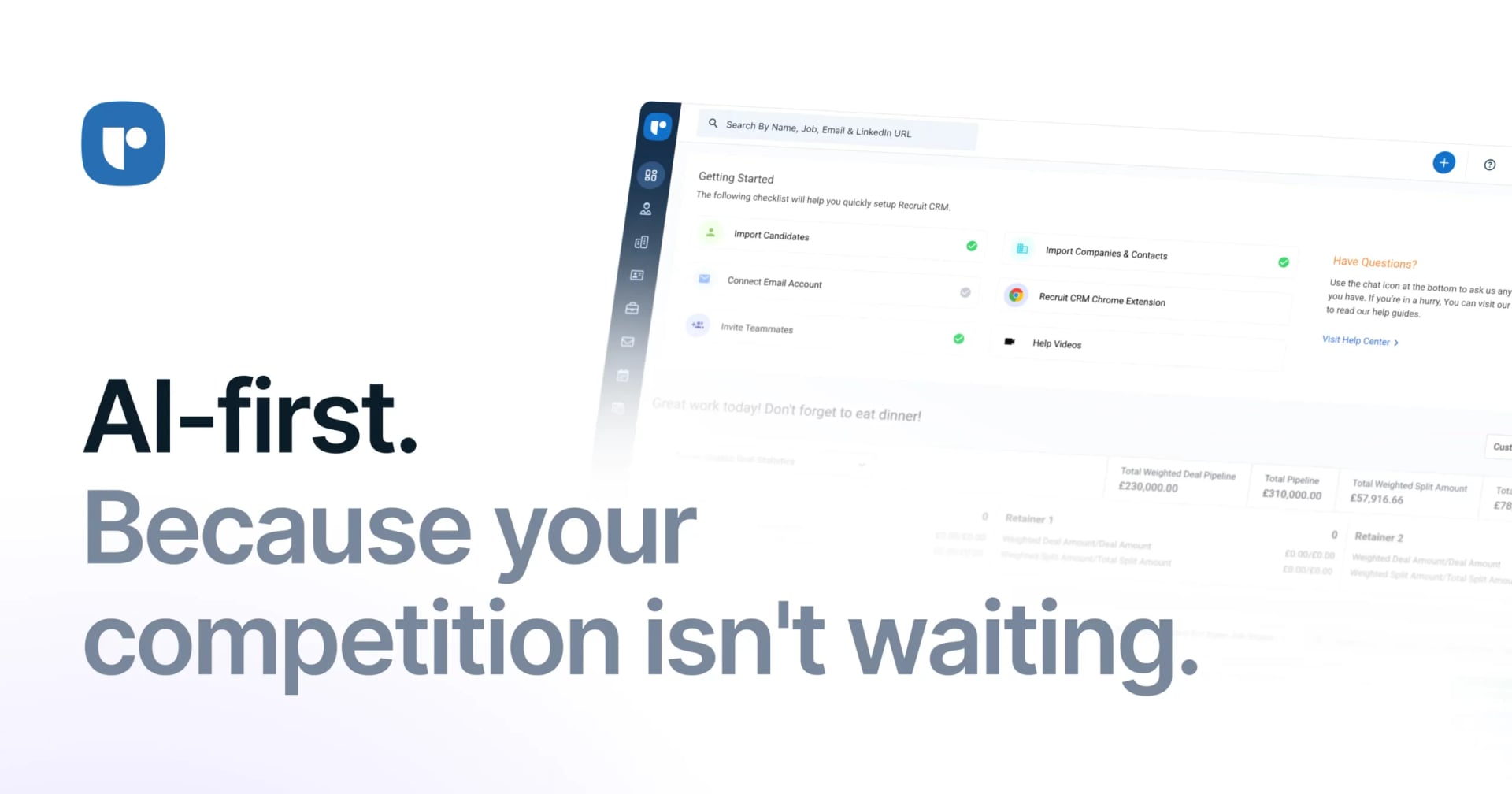
Recruit CRM Conversational AI showing Conversational AI - Your Complete Recruitment Solution

Rate this Tool

5.0 / 5based on 1 rating

About Recruit CRM

“Your Complete Recruitment Solution”

Recruit CRM is a conversational ai tool developed by Recruit CRM designed for business executives and entrepreneurs. Recruit CRM streamlines recruitment processes with its AI-powered ATS and CRM solution. Designed for recruitment agencies, executive search firms, and HR teams, it automates candidate, client, and job management. The tool enables efficient, high-volume hiring. With over 786K monthly visits, Recruit CRM has established a significant user base. Recruit CRM follows a subscription / enterprise / contact for pricing pricing model, with plans from $2/mo to $6/mo. It is available on Web App and Mobile App. Developer integration is supported through Other SDKs. It competes in the same space as Zoho Recruit, Bullhorn ATS and Greenhouse. Recruit CRM offers GDPR-compliant data handling and Global hosting. Explore more conversational ai tools or browse all categories.

Recruit CRM Snapshot

Key facts we track so you can judge fit before visiting the provider.

Primary category
Conversational AI
Best fit
Business Executives, Entrepreneurs
Platforms
Web App, Mobile App
Provider context
Recruit CRM
Developer access
API documentation, Other
Data handling
GDPR marked, Global hosting, Privacy policy linked
Evidence signals
786K monthly visits, 5.0 rating from 1 ratings, 14 community favorites +1 more

Before you choose Recruit CRM

  • Confirm Recruit CRM's current limits, renewal terms, and seat pricing on the official site.
  • Review privacy, retention, and data-processing terms before using sensitive data.
  • Test the integrations or API path against one real workflow before rollout.
  • Make sure the supported platform matches where your team actually works.

Listing data is compiled from structured provider information, public signals, submissions, and periodic checks where available. Treat this page as a shortlist aid, then verify pricing, compliance, and product limits with the provider before making a business-critical decision.

How Recruit CRM Works

Understanding the core functionality and approach of Recruit CRM.

Enterprise plans for Recruit CRM are tailored—contact sales to model pricing around governance and volume requirements. Account teams align rollout with the compliance and security standards your org must follow. Contact Recruit CRM's sales team to scope pricing around your volume and compliance needs.

Key Features

Explore what makes Recruit CRM stand out.

Personalized AI interactions

The AI adapts to your communication style and preferences over time. Designed with Web App as the primary platform.

Programmatic access

The API lets teams extend workflows programmatically and connect existing apps with minimal friction.

Multi-language SDK support

SDKs for Other remove boilerplate and shorten the path to production.

Compliance & governance ready

Data protection (GDPR) plus controlled access supports secure enterprise deployments. Recruit CRM is marked as GDPR-compliant in the listing; verify the vendor's current data-processing terms before rollout.

Hands-on demos

Live demos and sandboxes simplify evaluation across stakeholders.

Use Cases

Discover how different audiences leverage Recruit CRM.

Entrepreneurs

Personalized learning support

Educators use Recruit CRM to create lesson plans, generate practice exercises, and provide personalized feedback.

FAQ about Recruit CRM

What is Recruit CRM and what does it do?

Recruit CRM is Your Complete Recruitment Solution. Recruit CRM is an AI-powered, all-in-one recruitment software combining ATS and CRM functionalities to automate and streamline candidate, client, and job management for recruitment agencies, executive search firms, and HR teams worldwide. Its features include workflow automation, resume parsing, Kanban boards, job posting to 5,000+ job boards, email marketing, invoicing, integrations with 1,000+ apps, and customizable pipelines for efficient, high-volume hiring. Available on Web App, Mobile App, Recruit CRM is designed to enhance productivity and deliver professional-grade conversational ai capabilities.

How much does Recruit CRM cost?

Recruit CRM offers Subscription, Enterprise, Contact for Pricing pricing options. Current market shows subscription-based pricing per user/month, with multiple tiers based on features and headcount. Current estimates suggest pricing from $2 – $6 / month. Pricing is designed to scale with your needs, from individual users to enterprise teams. For the most current pricing details and plan comparisons, visit the official Recruit CRM pricing page or contact their sales team for custom enterprise quotes. Browse AI tools by pricing model to compare options.

Is Recruit CRM secure and compliant with data privacy regulations?

Recruit CRM is GDPR compliant, ensuring your data is handled according to European data protection standards. Data is hosted in Global, providing transparency about where your information resides. For comprehensive details about data handling, encryption, and privacy practices, review their official privacy policy. Security and compliance are continuously updated to meet evolving industry standards.
What platforms does Recruit CRM support?
Recruit CRM is available on Web App, Mobile App. The web application provides full functionality directly in your browser without requiring downloads. Mobile apps enable you to work on-the-go with synchronized data across devices. This multi-platform approach ensures you can use Recruit CRM wherever and however you work best.
How can I try Recruit CRM before purchasing?
Recruit CRM offers a demo version that lets you explore key features hands-on. Recruit CRM typically offers trial periods or limited access to help you evaluate the platform. Testing the platform before committing ensures it meets your specific requirements and integrates smoothly with your existing workflows. Support for English makes it accessible to global users.
What file formats does Recruit CRM support?
Recruit CRM accepts Accepts data in various formats including CSV, Excel, and manual input through the user interface. as input formats, making it compatible with your existing files and workflows. Output is delivered in Generates reports and exports data in formats like PDF, Excel, and CSV for analysis and sharing., ensuring compatibility with downstream tools and platforms. This format flexibility allows seamless integration into diverse tech stacks and creative pipelines.
Who develops and maintains Recruit CRM?
Recruit CRM is developed and maintained by Recruit CRM. Most recently updated in November 2026, the platform remains actively maintained with regular feature releases and bug fixes. This ongoing commitment ensures Recruit CRM stays competitive and aligned with industry best practices.
How do I get access to Recruit CRM?
Recruit CRM is freely available to everyone without registration requirements. You can start using the platform immediately without going through lengthy approval processes. A demo version is also available for those who want to explore features before committing.
How is usage measured and billed in Recruit CRM?
Recruit CRM uses Seats, Projects as billing metrics. Seat-based pricing charges per user, making it straightforward for team collaboration scenarios. This usage model ensures you only pay for what you actually use, avoiding unnecessary overhead costs for features you don't need.
What deployment options does Recruit CRM offer?
Recruit CRM supports Cloud deployment configurations. Cloud-hosted options provide instant scalability without infrastructure management overhead. Choose the deployment model that best aligns with your technical requirements, security constraints, and operational preferences.

Stay updated with the latest news and insights about Recruit CRM and the AI industry.

Fish Audio Introduces Live 3: A Full-Duplex Voice AI for Real-Time Conversation – ai news
Product Launches

Fish Audio Introduces Live 3: A Full-Duplex Voice AI for Real-Time Conversation

3 min read
Fish Audio's Live 3, released November 10, 2026, is a full-duplex voice AI model that listens while speaking, allowing for real-time conversation shaping and reactions in as little as 186 milliseconds.
Read Article
Anthropic Unveils Claude Sheets, Whiteboards, and Meetings: A Full AI Workspace for Non-Developers – anthropic
Product Launches

Anthropic Unveils Claude Sheets, Whiteboards, and Meetings: A Full AI Workspace for Non-Developers

4 min read
Anthropic unveiled Claude Sheets, Whiteboards, and Meetings on November 10, 2026, expanding Claude into a full AI-powered workspace. These beta tools, alongside generally available Claude Data, aim to empower non-developers with AI-assisted collaboration and productivity features.
Read Article

Compare Similar Tools

See how Recruit CRM stacks up against similar alternatives in the market.

AutoGPT icon

AutoGPT

Your team of AI experts

248
Claude icon

Claude

Your trusted AI collaborator for coding, research, productivity, and enterprise challenges

2478
Freemium
+2 more
ChatGPT icon

ChatGPT

AI research, productivity, and conversation—smarter thinking, deeper insights.

3291
Freemium
+1 more
For tool providers

Keep Recruit CRM's listing accurate

Providers can update product facts, pricing context, screenshots, and launch notes. Paid placements are labeled separately and do not replace editorial or data-quality review.

How to Evaluate Recruit CRM

Compare Recruit CRM with Zoho Recruit, Bullhorn ATS, Greenhouse and other alternatives before you decide. The goal is not to pick the most popular product; it is to find the tool that fits your actual workflow, risk level, and budget.

  1. Step 1Run the demo with one real business executives task, not a sample prompt.
  2. Step 2Model the full monthly cost at your expected usage, including seats, limits, and overages.
  3. Step 3Verify the integration path with your existing stack before you commit.
  4. Step 4Review privacy, retention, and compliance terms before using sensitive data.

For developer teams, inspect the Other SDK. Review the API documentation for auth, rate limits, errors, and export behavior. For broader context, browse more conversational ai tools for business executives, or compare this page against the category hub. New to AI tool evaluation? Start with AI Tool Navigator.

Share Recruit CRM

Know someone who would find it useful? Send it along.

Report an Issue

Something wrong or missing about Recruit CRM? Tell us and we will look into it.

AI Tool Consulting

Need a tool shortlist for a real business use case?

Get a structured 3-5 tool recommendation, pricing comparison, and implementation roadmap for your team.

Fixed-scope 500 EUR optionBased on Best-AI.org tool dataManual expert review
Get matched