
"The AI-powered communications and contact center platform"
Typical plan: $39 / month
- 3 reviews
- 4.0
- Monthly users
- 2.2M
- Pricing
- $15 – $150 / month
- Platform
- Web App / Desktop App
- Best for
- Business Executives / Entrepreneurs
Overview
Dialpad is an AI-powered, cloud-based business communications and contact center platform that unifies voice, video meetings, messaging, and customer engagement in one place. Built on its proprietary DialpadGPT and native agentic AI, it delivers real-time transcription and summaries, speech coaching, analytics, quality monitoring, and automation across UC...
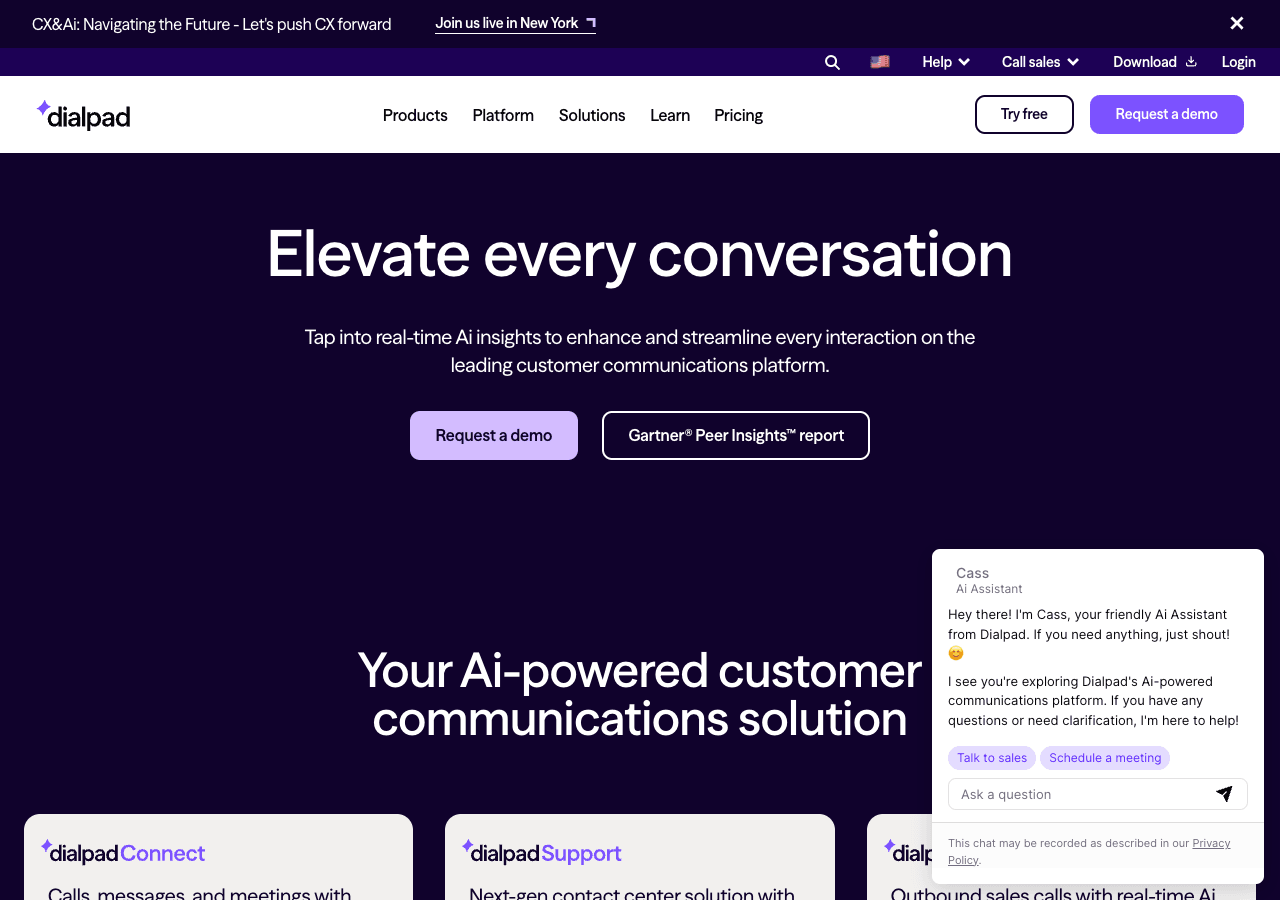
The AI-powered communications and contact center platform
Facts & Trust
Pricing and key facts stay visible first; expand compliance, specs, and provider details when you need deeper due diligence.
Figures above in this panel are rounded for quick orientation. Sign in for exact visits, rank breakdown, and engagement metrics.
Key Features
Context-aware conversations
The AI adapts to your communication style and preferences over time. Developers get JavaScript/TypeScript and Python SDK
Visual analytics
Dialpad transforms raw data into charts, graphs, and maps that tell a clear story. Native connectors for Plugin/Integrat
Multi-modal AI interactions
Voice input and output options make Dialpad accessible in hands-free scenarios.
Broad platform coverage
Consistent experience across 5 platforms means faster adoption and fewer training needs.
Automation-ready endpoints
The API lets teams extend workflows programmatically and connect existing apps with minimal friction. Workflow automatio
Tooling for engineering teams
2 SDKs (e.g., JavaScript/TypeScript and Python) help dev teams launch prototypes quickly.
Expert Insight
Regina Lee
Regina Lee, an expert specializing in AI tools, has reviewed Dialpad for Conversational AI and rates it 4.0/5 based on 1 user review. The tool shows particular promise for business executives who work with AI tools tools regularly.
Pricing & Plans
Pricing: $15 – $150 / month(Updated December 2025)
Dialpad Connect (Standard) from $15/user/month, Pro $25/user/month, Enterprise contact for pricing; Dialpad Support from $80/user/month to $150/user/month; Dialpad Sell from $39/user/month to $150/user/month; 14-day free trial available, but no permanent free tier
Usage Model: Seats, Pay-as-You-Go — ensuring you only pay for what you actually use.
Subscription-based access to Dialpad begins at $15 – $150 / month, providing business executives with professional conversational ai capabilities. The monthly model ensures you're always using the latest version with the most current features. For business executives who need reliable conversational ai tools, subscriptions offer the best combination of features, support, and value.
Video Showcase
Dialpad 101 | Tour the App
Rate this Tool
User Reviews
Based on user reviews
Rating Distribution
All Reviews
No reviews yet. Be the first to share your experience!
About Dialpad
“The AI-powered communications and contact center platform”
Dialpad Snapshot
Key facts we track so you can judge fit before visiting the provider.
- Primary category
- Conversational AI
- Best fit
- Business Executives, Entrepreneurs, Customer Service +4 more
- Platforms
- Web App, Desktop App, Mobile App +2 more
- Pricing signal
- Subscription, Enterprise +1 more - $15-$150 / month
- Provider context
- Dialpad - US
- Known integrations
- Plugin/Integration
- Developer access
- API documentation, JavaScript/TypeScript, Python
- Data handling
- Global hosting, Privacy policy linked
Before you choose Dialpad
- Confirm Dialpad's current limits, renewal terms, and seat pricing on the official site.
- Review privacy, retention, and data-processing terms before using sensitive data.
- Test the integrations or API path against one real workflow before rollout.
- Make sure the supported platform matches where your team actually works.
Listing data is compiled from structured provider information, public signals, submissions, and periodic checks where available. Treat this page as a shortlist aid, then verify pricing, compliance, and product limits with the provider before making a business-critical decision.
How Dialpad Works
Understanding the core functionality and approach of Dialpad.
Dialpad automates the path from data ingestion to insight delivery. Teams spend less time wrangling spreadsheets and more time acting on findings. Scheduled reports and alerts keep stakeholders informed without manual effort.
Key Features
Explore what makes Dialpad stand out.
Context-aware conversations
The AI adapts to your communication style and preferences over time. Developers get JavaScript/TypeScript and Python SDKs and a documented API; everyone else uses Dialpad on Web App, Desktop App, and Mobile App.
Visual analytics
Dialpad transforms raw data into charts, graphs, and maps that tell a clear story. Native connectors for Plugin/Integration reduce manual data entry in Dialpad.
Multi-modal AI interactions
Voice input and output options make Dialpad accessible in hands-free scenarios.
Broad platform coverage
Consistent experience across 5 platforms means faster adoption and fewer training needs.
Automation-ready endpoints
The API lets teams extend workflows programmatically and connect existing apps with minimal friction. Workflow automation in Dialpad can reduce manual steps when the triggers and handoffs match your process.
Tooling for engineering teams
2 SDKs (e.g., JavaScript/TypeScript and Python) help dev teams launch prototypes quickly.
Use Cases
Discover how different audiences leverage Dialpad.
Scale support operations
Reduce support ticket volume by answering FAQs automatically around the clock. Dialpad is relevant for support workflows when it connects cleanly to tickets, knowledge bases, or customer context.
AI-assisted education
Educators use Dialpad to create lesson plans, generate practice exercises, and provide personalized feedback.
Work from anywhere
Dialpad bridges time zones and locations with async-friendly workflows.
FAQ about Dialpad
What is Dialpad and what does it do?
How much does Dialpad cost?
Is Dialpad secure and compliant with data privacy regulations?
What platforms does Dialpad support?
How can I try Dialpad before purchasing?
What file formats does Dialpad support?
Who develops and maintains Dialpad?
How do I get access to Dialpad?
How is usage measured and billed in Dialpad?
What deployment options does Dialpad offer?
Related AI News & Insights
Stay updated with the latest news and insights about Dialpad and the AI industry.
Compare Similar Tools
See how Dialpad stacks up against similar alternatives in the market.


Claude
Your trusted AI collaborator for coding, research, productivity, and enterprise challenges

Keep Dialpad's listing accurate
Providers can update product facts, pricing context, screenshots, and launch notes. Paid placements are labeled separately and do not replace editorial or data-quality review.
How to Evaluate Dialpad
Compare Dialpad with RingCentral, Zoom Phone, Nextiva and other alternatives before you decide. The goal is not to pick the most popular product; it is to find the tool that fits your actual workflow, risk level, and budget.
- Step 1Run the demo with one real business executives task, not a sample prompt.
- Step 2Model the full monthly cost at your expected usage, including seats, limits, and overages.
- Step 3Verify the integration path with your existing stack before you commit.
- Step 4Review privacy, retention, and compliance terms before using sensitive data.
Use the video walkthrough to check whether the interface matches the claims. For developer teams, inspect the JavaScript/TypeScript SDK and Python support. Review the API documentation for auth, rate limits, errors, and export behavior. For broader context, browse more conversational ai tools for business executives, or compare this page against the category hub. New to AI tool evaluation? Start with AI Tool Navigator.
Share Dialpad
Help others discover Dialpad by sharing it on your favorite platforms.
Report an Issue
Found incorrect information or have concerns about Dialpad? Let us know.
Need a tool shortlist for a real business use case?
Get a structured 3-5 tool recommendation, pricing comparison, and implementation roadmap for your team.
Need Help Finding the Right Tool?
Looking for alternatives to Dialpad or similar tools? Use our AI chatbot to find the right solution for your needs.